Product · Session analytics
Session analytics and drop-off analysis
Session-level behavioral analytics with plain-language explanations: why cohorts leave, not only what your funnel counts show.
8 min readUpdated May 18, 2026
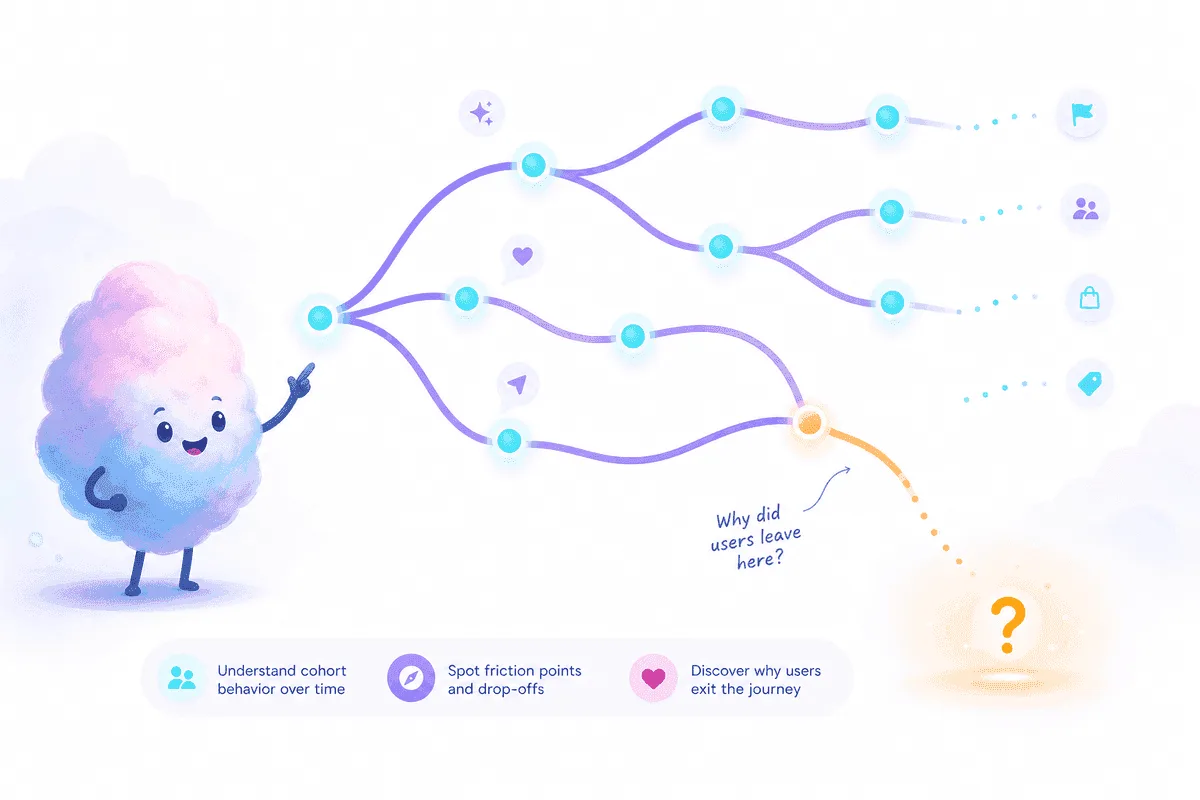
Outcomes live in aggregates. Mechanisms live in sessions.
See why this cohort left—not only that conversion changed.
Session intelligence
Beyond vanity metrics
Page views and conversion rates tell you the outcome. They rarely tell you the mechanism: hesitation on a form, rage clicks on a broken control, abandonment after a pricing table, or a loop between docs and signup. Session analytics groups behavior by visit so you can see sequences—not isolated numbers.
The question product teams need answered is: why did this cohort leave? Tracuto connects events, journeys, and session context into explanations you can act on—friction labels, drop-off drivers, and patterns that repeat across visitors. That is the input you need before you ship the next fix.
Outcomes live in aggregates. Mechanisms live in sessions—and that is where fixes start.

One story from visit to exit.
How session analytics works in Tracuto
After you install and verify the loader, Tracuto ingests events and builds journeys across pages and steps. Each session carries context: entry page, time on step, events fired, and exit point. Analysis layers on top cluster similar exits and return prioritized explanations—not a flat list of sessions to watch.
- 1
Capture behavior
One snippet records events, recordings, and journey edges. Mask sensitive fields and respect consent before production traffic counts.
- 2
Map journeys
See how users move between signup, onboarding, pricing, and checkout. Funnels show step conversion; sessions show what happened between steps.
- 3
Explain drop-offs
For each major drop, get plain-language drivers: repeated failed clicks, long idle, back-navigation, or exit after a specific element.
- 4
Act and verify
Ship fixes from a prioritized queue. Use replay and week-over-week trends to confirm friction fell after release.
Google Analytics vs. session-level intelligence
| Dimension | Typical analytics (GA) | Session intelligence (Tracuto) |
|---|---|---|
| Unit of analysis | Page, event, user (aggregate) | Session sequence + friction on steps |
| Drop-off insight | Step % and segment breakdown | Named friction + explanation per step |
| Discovery workflow | Build reports, export, debate | Prioritized queue, replay for proof |
| Replay | Usually separate tool or not included | Included; linked from friction items |
| Ideal role | Acquisition, reporting, benchmarks | Product backlog, UX fixes, conversion ops |
Keep GA for traffic and campaigns. Add Tracuto when you need drop-off explanations on the flows that pay the bills. See friction monitoring for how named friction fits the same stack.
Who session analytics is for
Product managers
Turn session behavior into backlog language: not “conversion down 8%” but “checkout hesitation spiked after pricing change.”
Data-informed founders
You do not have a dedicated analytics team. Session intelligence gives you a short list of fixes without building custom SQL for every release.
Growth leads
Connect landing and signup cohorts to on-site behavior. See whether the leak is message-market fit or a broken step after click.
UX researchers
Sample sessions with intent—start from friction clusters instead of random replay roulette.
Use cases across the product lifecycle
Acquisition and landing
Compare sessions from paid vs. organic entry. Do users scroll to pricing or bounce from hero? Session paths reveal whether the problem is traffic quality or on-page friction.
Activation and habit
Track first-week journeys: which setup steps get skipped, where empty states confuse, and when users return without completing core actions. Repeat patterns across cohorts signal product issues—not one-off noise.
Monetization and retention
For checkout and upgrade flows, session analytics ties revenue leaks to UI behavior. Pair with beyond session replay when your team is replay-first today.
Install, consent, and privacy
Add the Tracuto loader when you are ready; keep your consent banner in control. The integration guide covers verification, masking, and production checklist items. Read our Privacy Policy for processing details.
Pricing lists quotas for events, recordings, and AI analyses. Starter includes a 14-day trial with no credit card.
Frequently asked questions
- What is session analytics?
- Session analytics groups behavior by visit: pages viewed, events fired, time on step, and exit context. Tracuto adds explanations for why this cohort left, not only that they did.
- How is session analytics different from pageview reports?
- Pageview reports show traffic volume. Session analytics shows sequences: hesitation before exit, rage clicks on a control, loops between pricing and signup. That sequence is what product teams need to ship fixes.
- Can session analytics replace my existing analytics stack?
- Tracuto complements tools like Google Analytics. Keep GA for acquisition and top-line metrics; use Tracuto for session intelligence, friction naming, and drop-off explanations on key flows.
- What data does Tracuto need?
- A verified loader snippet, allowed domains, and production events. The integration guide covers masking, consent, and verification before you rely on insights in standup.
- How do drop-off explanations get generated?
- Tracuto clusters session behavior on each funnel step, compares cohorts week over week, and returns prioritized friction with plain-language summaries grounded in events and journeys, not one-off guesses.
- Who uses session analytics day to day?
- Product managers, founders, growth leads, and UX researchers who need a backlog of named issues, not another dashboard to babysit.
Related reading
Product · Friction monitoring
Friction monitoring software for product teams
Name UX friction automatically, prioritize drop-offs, and explain what blocks conversion before manual replay triage.
9 min read
Article · Conversion
Why users don't convert (and how to find out)
Conversion rate is a lagging indicator. Learn to find stalls, name friction, and automate the first pass before manual replay review.
7 min read
Article · Session replay
Beyond session replay: product intelligence
Replays are proof, not a scalable triage system. Product intelligence adds discovery before you open the player.
7 min read